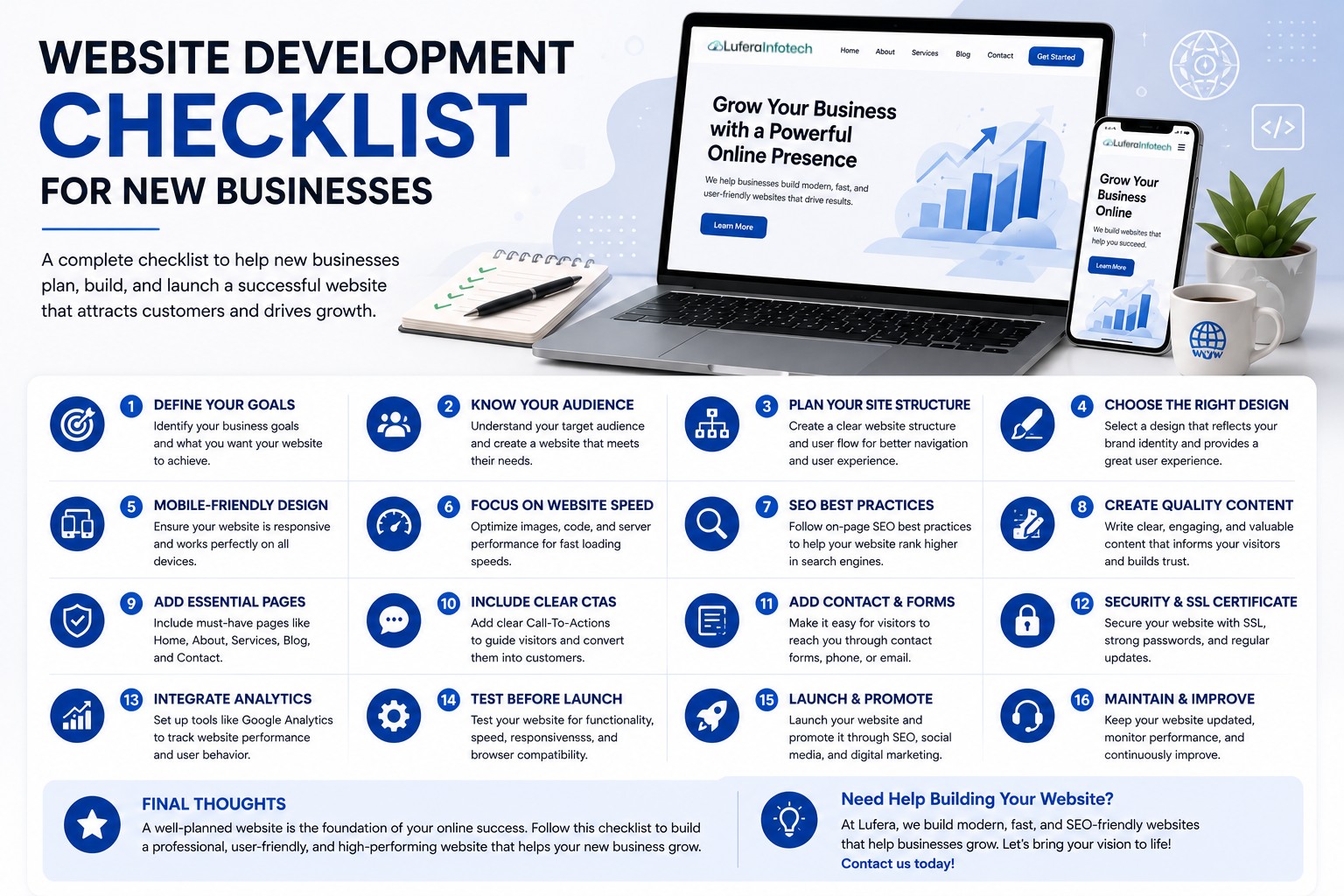

Website Revamp Guide: When and How to Redesign Your Business Website
Your website is often the first impression customers have of your business. As technology evolves and customer expectations change, even a once-modern website can become outdated. A website that looks old, loads slowly, or fails to provide a seamless user experience can negatively impact your brand reputation and business growth.
A website revamp is more than just updating colors and images. It involves improving design, functionality, performance, user experience, and search engine optimization to better serve your audience and achieve your business goals.
In this guide, we'll explore the signs that indicate your website needs a redesign and the steps required to ensure a successful website revamp.
Why Website Revamps Matter
A well-designed website helps businesses:
- Build credibility and trust
- Generate more leads and inquiries
- Improve search engine rankings
- Enhance user experience
- Increase conversion rates
- Support digital marketing campaigns
- Stay competitive in the marketplace
Regular website updates ensure your online presence remains effective and aligned with current industry standards.
Signs Your Website Needs a Revamp
1. Outdated Design
Design trends evolve rapidly. If your website looks several years old, visitors may perceive your business as outdated.
Common signs include:
- Old-fashioned layouts
- Poor visual hierarchy
- Low-quality graphics
- Inconsistent branding
2. Poor Mobile Experience
Mobile traffic now accounts for a significant portion of website visits.
If your website isn't fully responsive across smartphones and tablets, you're likely losing potential customers.
3. Slow Loading Speed
Website speed directly affects user experience and SEO performance.
Slow-loading websites often experience higher bounce rates and lower conversion rates.
4. Low Search Engine Rankings
If your website struggles to rank in search results, outdated SEO practices may be limiting visibility.
A website revamp provides an opportunity to improve technical SEO and content structure.
5. Low Conversion Rates
If visitors are not taking desired actions such as filling out forms, making purchases, or booking consultations, your website may require usability and conversion optimization improvements.
6. Difficult Content Management
Outdated systems often make content updates time-consuming and frustrating.
Modern websites should provide easy content management and scalability.
Benefits of Revamping Your Website
Improved User Experience
Modern navigation, intuitive layouts, and faster load times help visitors find information quickly and easily.
Better SEO Performance
A redesigned website allows you to implement current SEO best practices and improve organic search visibility.
Increased Lead Generation
Strategic calls-to-action and optimized landing pages can significantly improve conversion rates.
Enhanced Brand Image
A fresh, professional design strengthens your brand identity and builds trust with potential customers.
Future Scalability
Modern websites can more easily accommodate future features, integrations, and business growth.
Step-by-Step Website Revamp Process
Step 1: Evaluate Your Current Website
Start by analyzing your website's strengths and weaknesses.
Review:
- Traffic data
- User behavior
- Conversion rates
- Page speed
- SEO performance
- Mobile usability
Step 2: Define Your Goals
Clearly identify what you want the redesigned website to achieve.
Examples include:
- Increase leads
- Improve SEO rankings
- Enhance user experience
- Boost online sales
- Strengthen brand identity
Step 3: Understand Your Audience
Analyze customer needs and behaviors to create a website that better serves your target audience.
Consider:
- Customer demographics
- User intent
- Pain points
- Preferred devices
Step 4: Update Your Website Structure
Organize content logically and simplify navigation.
A clear site structure improves:
- User experience
- SEO performance
- Content discoverability
Step 5: Refresh the Design
Modernize your visual appearance while maintaining brand consistency.
Focus on:
- Clean layouts
- Professional typography
- Updated branding
- High-quality imagery
- Improved accessibility
Step 6: Optimize for Mobile Devices
Ensure the redesigned website delivers a seamless experience across all screen sizes.
Key considerations include:
- Responsive layouts
- Fast mobile loading speeds
- Touch-friendly navigation
- Mobile-first design principles
Step 7: Improve Website Performance
Optimize technical performance by:
- Compressing images
- Minifying code
- Using caching
- Reducing unnecessary scripts
- Choosing reliable hosting
Step 8: Strengthen SEO
Incorporate modern SEO practices during the redesign process.
- Keyword optimization
- Meta tags
- Schema markup
- Internal linking
- Optimized URLs
- Core Web Vitals improvements
Step 9: Add Conversion-Focused Elements
Every page should encourage visitors to take action.
Examples include:
- Contact forms
- Quote requests
- Appointment booking
- Newsletter subscriptions
- Call-to-action buttons
Step 10: Test Before Launch
Thorough testing helps identify and fix issues before your new website goes live.
Test for:
- Broken links
- Mobile responsiveness
- Page speed
- Browser compatibility
- Form functionality
- SEO implementation
Common Website Revamp Mistakes to Avoid
- Ignoring SEO during redesign
- Changing URLs without redirects
- Overcomplicating navigation
- Focusing only on aesthetics
- Skipping mobile optimization
- Not testing before launch
Avoiding these mistakes can protect your rankings and ensure a smoother transition.
How Often Should You Revamp Your Website?
While minor updates should occur regularly, most businesses should consider a significant website redesign every 3 to 5 years.
However, factors such as industry trends, business growth, technological advancements, and user expectations may require more frequent updates.
Final Thoughts
A website revamp is an investment in your business's future. A modern, user-friendly, and SEO-optimized website can improve customer engagement, increase conversions, and strengthen your online presence.
By following a structured redesign process and focusing on both user experience and business goals, you can transform your website into a powerful growth tool.
Ready to Revamp Your Website?
At Lufera, we specialize in website redesign and development services that help businesses modernize their online presence, improve performance, and achieve measurable growth.
Whether your website needs a visual refresh, SEO improvements, performance optimization, or a complete redesign, our team can create a solution tailored to your goals.
Contact Lufera today and discover how a professional website revamp can elevate your business.