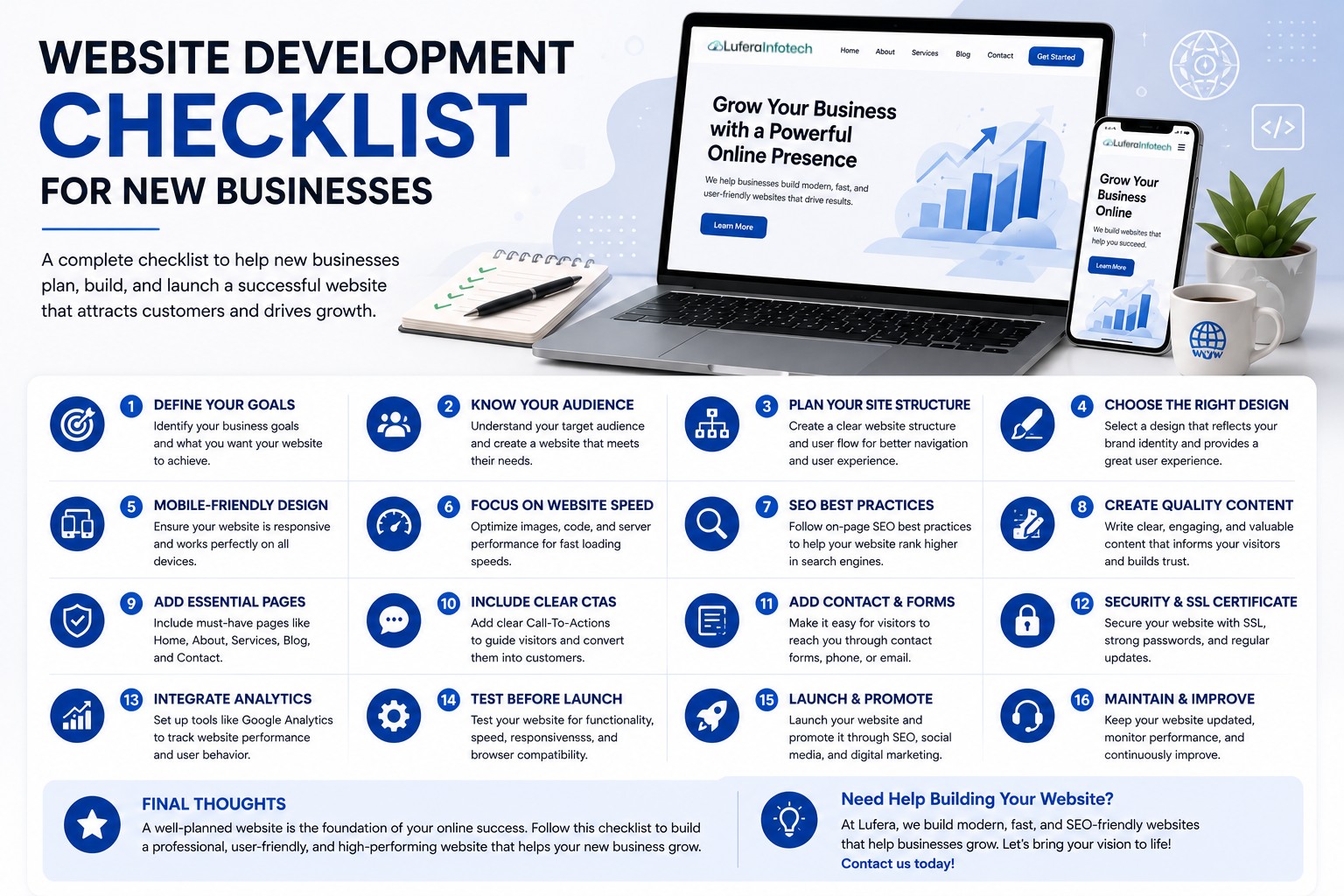

Website Development Checklist for New Businesses
Launching a new business is exciting, but building a professional website can often feel overwhelming. Your website is one of the most important assets your business will own. It's where potential customers learn about your services, evaluate your credibility, and decide whether to contact you.
A well-planned website can help establish trust, attract qualified leads, and support long-term business growth. On the other hand, overlooking key website development elements can result in poor user experiences, lower search rankings, and missed opportunities.
To help you get started, we've created a complete website development checklist for new businesses. Follow these essential steps to build a website that not only looks great but also delivers measurable results.
1. Define Your Website Goals
Before selecting a design or development platform, clearly identify what you want your website to achieve.
Common website goals include:
- Generating leads and inquiries
- Selling products online
- Building brand awareness
- Booking appointments
- Providing customer support
- Showcasing services and portfolios
Understanding your objectives will guide every development decision moving forward.
2. Understand Your Target Audience
Your website should be built around the needs and expectations of your ideal customers.
Consider factors such as:
- Age and demographics
- Industry or profession
- Pain points and challenges
- Online behavior
- Preferred devices
A customer-focused website creates a better user experience and improves conversion rates.
3. Choose the Right Domain Name
Your domain name represents your business online.
A good domain name should be:
- Easy to remember
- Simple to spell
- Relevant to your business
- Short and professional
- Easy to share
Whenever possible, choose a .com domain or a domain extension that aligns with your target market.
4. Select a Reliable Hosting Provider
Website hosting affects performance, security, and reliability.
Look for hosting providers that offer:
- Fast loading speeds
- High uptime guarantees
- Regular backups
- SSL certificates
- Strong security features
- Responsive customer support
Investing in quality hosting can significantly improve user experience and search rankings.
5. Plan Your Website Structure
A clear site structure makes navigation easier for visitors and search engines.
Essential pages often include:
- Home
- About Us
- Services
- Products
- Blog
- Contact
- Privacy Policy
- Terms and Conditions
Organizing your website early prevents confusion during development.
6. Choose a Professional Website Design
First impressions matter. Visitors often decide within seconds whether they trust a website.
Your design should:
- Reflect your brand identity
- Use consistent colors and fonts
- Be visually appealing
- Provide intuitive navigation
- Include clear calls-to-action
A clean and modern design helps establish credibility and encourages engagement.
7. Ensure Mobile Responsiveness
Most users browse websites from mobile devices.
Your website should:
- Adapt to all screen sizes
- Load quickly on mobile devices
- Maintain usability across devices
- Provide touch-friendly navigation
Mobile responsiveness is also a key ranking factor for search engines.
8. Focus on Website Speed
Slow websites frustrate users and increase bounce rates.
Improve performance by:
- Optimizing images
- Minifying CSS and JavaScript
- Using caching technologies
- Choosing quality hosting
- Reducing unnecessary plugins
Faster websites improve both user experience and SEO performance.
9. Create High-Quality Content
Content is one of the most important elements of your website.
Ensure your content:
- Clearly explains your services
- Addresses customer needs
- Uses professional language
- Includes relevant keywords
- Provides value to visitors
Strong content builds trust and supports search engine visibility.
10. Implement SEO Best Practices
Search engine optimization helps customers find your business online.
SEO essentials include:
- Keyword research
- Meta titles and descriptions
- Header tags (H1, h5, H3)
- Optimized URLs
- Image alt text
- Internal linking
- Schema markup
SEO should be integrated into your website from the beginning rather than added later.
11. Add Clear Calls-to-Action (CTAs)
Every page should encourage visitors to take action.
Examples include:
- Contact Us
- Request a Quote
- Book a Consultation
- Get Started
- Download a Resource
Effective CTAs improve conversions and lead generation.
12. Set Up Contact Forms and Communication Channels
Make it easy for visitors to reach you.
Include:
- Contact forms
- Phone numbers
- Email addresses
- Business location information
- Live chat functionality
The easier it is to contact you, the more inquiries you're likely to receive.
13. Secure Your Website
Security should be a top priority from day one.
Essential security measures include:
- SSL certificates
- Strong passwords
- Regular updates
- Website backups
- Firewall protection
- Malware monitoring
Security protects your business reputation and customer data.
14. Integrate Analytics and Tracking
Analytics help you understand visitor behavior and website performance.
Consider installing:
- Google Analytics
- Google Search Console
- Conversion tracking tools
- Heatmap software
Data-driven decisions can significantly improve website effectiveness.
15. Test Before Launching
Thorough testing helps identify issues before visitors encounter them.
Check for:
- Broken links
- Mobile responsiveness
- Form functionality
- Page speed
- Browser compatibility
- Content accuracy
A smooth launch creates a positive first impression.
16. Plan for Ongoing Maintenance
Website development doesn't end after launch.
Regular maintenance should include:
- Software updates
- Security monitoring
- Content updates
- Performance optimization
- SEO improvements
Consistent maintenance keeps your website secure, relevant, and effective.
Final Thoughts
A successful website is built through careful planning, strategic development, and ongoing optimization. Following this website development checklist can help new businesses avoid common mistakes and create a website that supports long-term growth.
By focusing on user experience, SEO, performance, security, and conversion optimization, you'll build a website that not only attracts visitors but also turns them into customers.
Ready to Build Your Business Website?
At Lufera, we help startups and growing businesses create modern, SEO-friendly, high-performance websites designed to generate leads and drive growth.
Whether you're launching your first website or upgrading an existing one, our team can help bring your vision to life.
Contact Lufera today and start building a website that helps your business succeed online.